Contents
2. Procedure and control description
The Production Control object performs a large number of key functions and must be available in every value stream model!
The main task is to receive orders from a customer or a supermarket and distribute these orders to the corresponding objects.
2. Procedure and control description
The PPS object takes into account whether the product identifier changes from production line to production line and the number of different products that must be produced to meet the customer's requirements.
It also takes into account the lot size of the production facilities when creating the production orders.
MRP is carried out at certain intervals. Typical for this interval is one day. The daily demand for basic parts is calculated on the basis of the customer’s cycle.
The customer cycles are derived from the product calls defined for the customers.
With this daily demand, the basic products available in the first storage following the supplier and the production orders available in the first process are also calculated. The resulting demand is transferred to the supplier.
It is also possible to include extra batch in the requirements calculation, for example to prevent the stock in storage from falling to zero. This enables you to compensate for scrap or rework in the system.
PPS order trigger - How orders are triggered for processes
Placement of order for parts

Figure 1 - Placement of order for parts
Sequence of steps for triggering orders by PPS

Figure 2 - Sequence of steps for triggering orders by PPS
PPS order trigger - How scrap rate works and orders are considered
Placement of order for parts

Figure 3 - Placement of order for parts
Sequence of steps for triggering orders by PPS
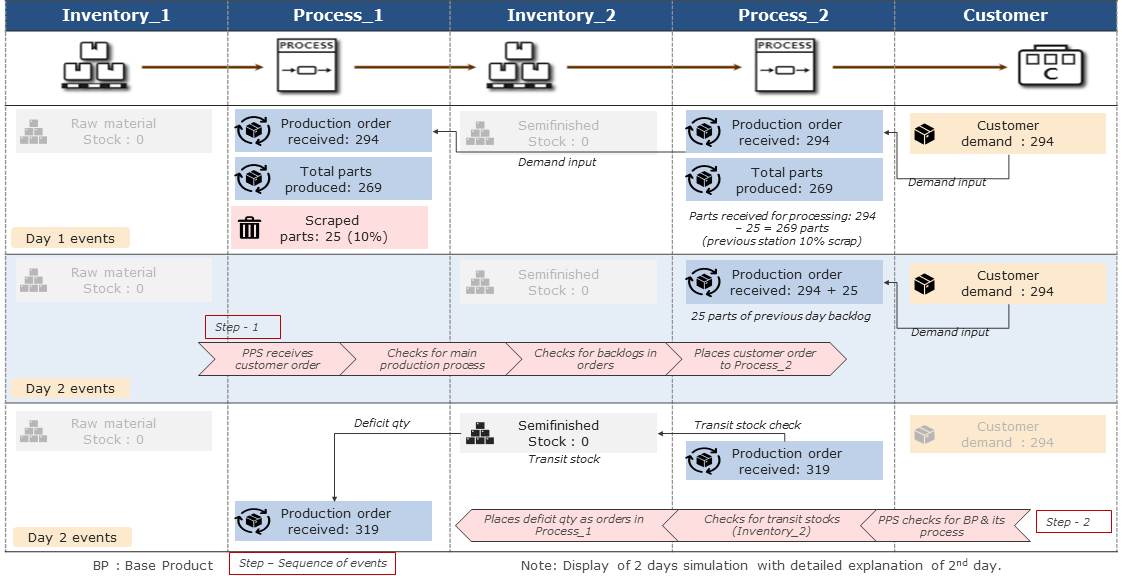
Figure 4 - Sequence of steps for triggering orders by PPS
PPS order trigger - High lot size for process
Sequence of steps for triggering orders by PPS with huge lot size

Figure 5 - Sequence of steps for triggering orders by PPS with huge lot size
Disposition interval
Understanding Disposition Interval at PPS

Figure 6 - Understanding Disposition Interval at PPS
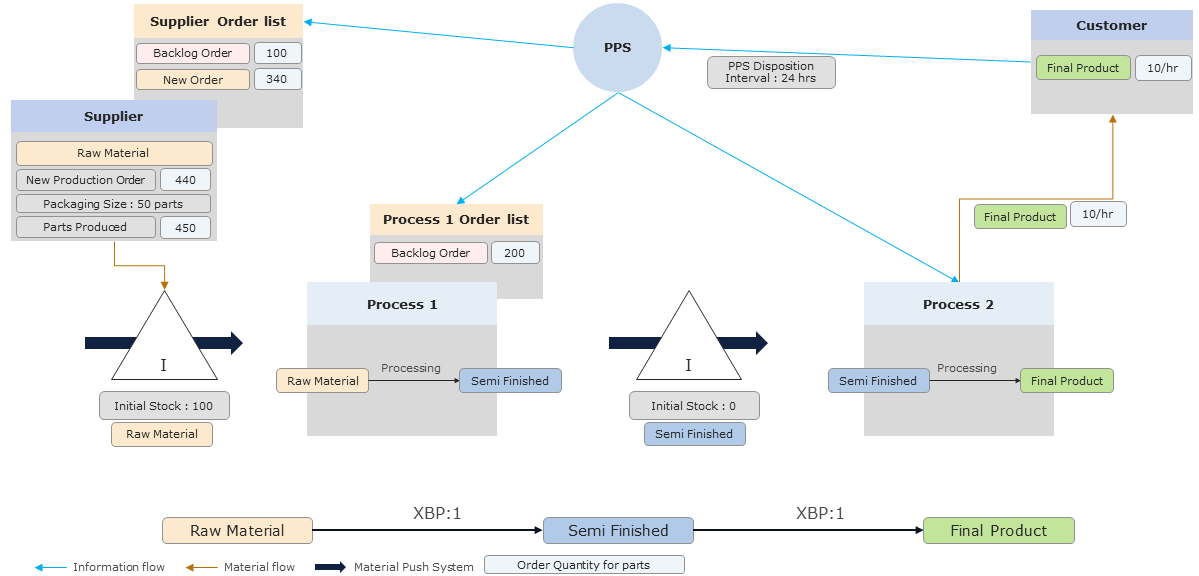
Figure 7 - Understanding Disposition Interval at PPS

Figure 8 - Understanding Disposition Interval at PPS
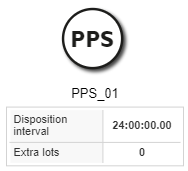
Figure 9 - PPS |
|
See chapter Possible connections to objects.
© SimPlan AG - Hanau District Court, Commercial Register (Part B) 6845 - info@simplan.de - www.simplan.de/en