Kanban


<< Click to show table of contents >>

Navigation:  Objects of the value stream toolbox > Control objects >

Kanban


Contents

1. Brief description

2. Procedure and control description

3. Parametrization

4. Connection types


1. Brief description

You can use the Kanban object to model 'single cards' Kanban lines. Several objects of type KANBAN can be used in the same model


2. Procedure and control description

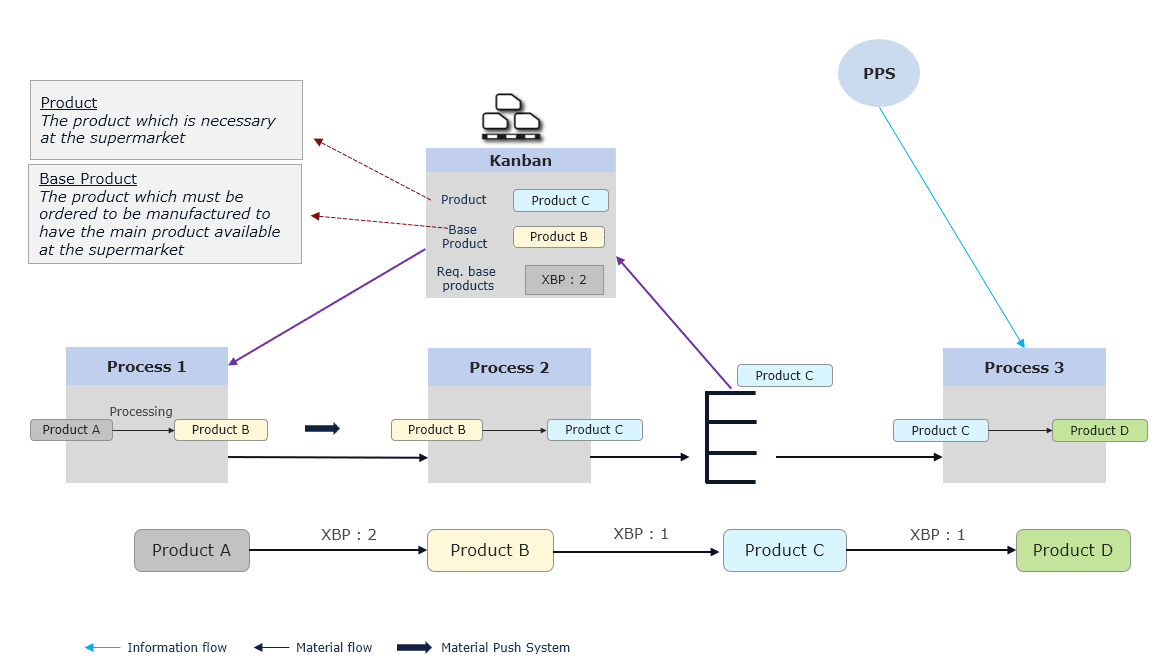
Typically, you will use two Kanban connection points. The first connects a supermarket with the Kanban object and the second connects the Kanban object with any production process or supplier.

As soon as a product is removed from the supermarket (thus creating an empty Kanban card), the Kanban object creates a new production order at the assigned end point.


Product assignments for Kanban object
20250423_kanban

Figure 1 - Product assignments for Kanban object


3. Parametrization


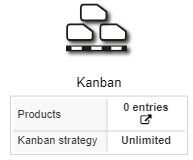
20221213_kanban_mit_parameter_EN

Figure 2 - Kanban

Process Parameter

Required

Description

Name

no

Name of the object

Products

no

Products of the object

Kanban strategy

yes

Determining whether the number of Kanban cards is unlimited or limited

Comment

no

Custom notes and annotations


Product Parameter

Required

Description

Product

yes

Product to be processed

Base product

yes

Product required to manufacture selected product

Number of Kanban cards

yes

Number of Kanban cards required

Parts per card

yes

Quantity of products to be produced per card

Required base products per product

yes

Number of basic products required per card


4. Connection types

See chapter Possible connections to objects.


© SimPlan AG - Hanau District Court, Commercial Register (Part B) 6845 - info@simplan.de - www.simplan.de/en